
Level up with
Dot3D Prime
Professional 3D scanning without boundaries.
Dot3D Prime is our most comprehensive mobile scanning solution, designed for professionals who require maximum hardware flexibility and survey-grade accuracy. Whether you’re on iOS, Android, or Windows, Dot3D Prime has you covered with full support for:


¹Windows/Android scanning requires an external 3D camera (Orbbec, RealSense).
²All currently supported external depth cameras require Windows or Android OS.
³Dot3D Prime’s real-time RTK/GNSS functionality requires iOS (iPhone Pro / Pro Max).
Trusted by leading organizations:















Why Dot3D Prime?
Unlock the full potential of the Dot3D ecosystem across all major operating systems (Android, Windows, iOS) with support for high-performance external sensors (on Windows/Android) and external GNSS hardware (on iOS).
1. Cross-Platform Freedom
Don't be locked into a single ecosystem. Dot3D Prime brings professional-grade mobile 3D scanning across Windows, Android, and iOS tablets and phones. Experience the same industry-leading real-time reconstruction and local processing on the mobile hardware your organization already utilizes.*
*Minimum specs required. External camera required (for Windows or Android).
2. Support for External Cameras
Unlock superior detail and range by connecting external 3D depth sensors. Dot3D Prime provides plug-and-play support for all of the following on Windows and Android:
Orbbec 3D Vision Cameras: Gemini 336L and more to come.
RealSense 3D Depth Cameras: D455f, D455, D456, D415, L515, etc.
DPI Structured Light Scanning Kits: DPI-10, DPI-X, etc.
3. Real-Time GNSS Integration
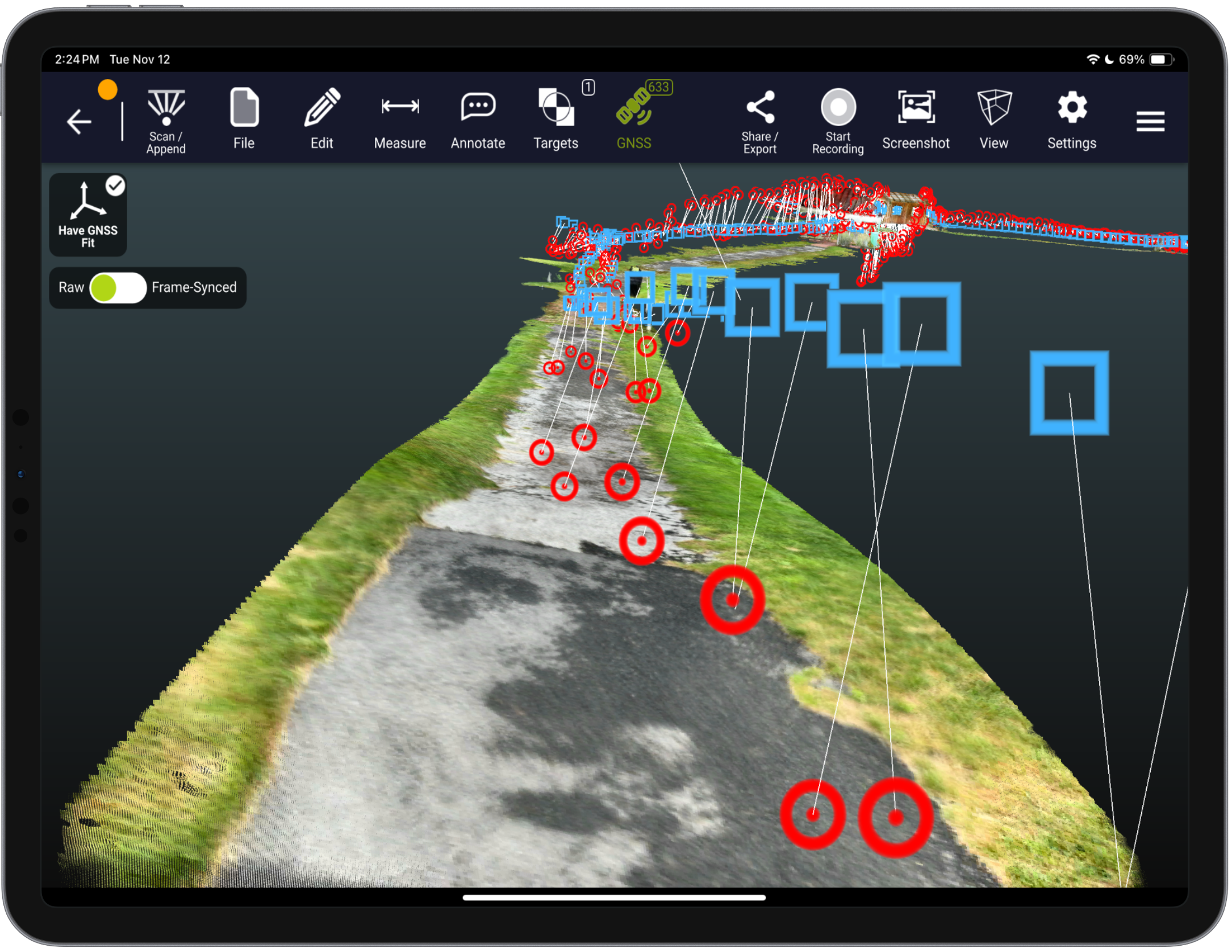
Dot3D Prime features advanced integration with high-accuracy external RTK / GNSS solutions. Automatically geo-reference your scan data and improve global accuracy in real-time as you walk freely across large outdoor spaces.
Supported Hardware: Leica FLX100 plus, Emlid Reach RX/RX2, Trimble DA2 (Catalyst), and more coming soon.
Survey Control without Targeting: Automatically and intelligently inform your optimization based on the full trajectory of high-accuracy GNSS points.
4. Transferable "Release Key" Licensing
We understand that equipment needs change. Dot3D Prime features a flexible licensing model. Use the exclusive "Release Key" option to easily deactivate your license on one device and move it to another. This ensures your investment stays mobile and adaptable across your entire organization.
Accuracy under your control.
Add coded targets to your scenes for automatic accuracy improvement via precise loop closure.
Apply known constraints for additional accuracy improvement and geo-referencing. Add target-to-target measurements, survey control points, wall-to-wall measurements, and more.
How to add reference measurements (VIDEO)
How to implement survey control (VIDEO)

OPTIMIZATION
Post-processing you can count on.
Scan with confidence knowing Dot3D’s battle-tested optimization algorithms will automatically adjust nearly every aspect of your scene to create a precisely-coordinated, cumulative best-fit to reality.
Get to the final results fast with rapid local processing on device. Or transfer to a Windows machine for convenient desktop data editing and optimization.
Learn more about Dot3D optimization (VIDEO)
Comparative study on loop closure with Dot3D

LARGE SCENES
Near limitless single scene sizes.
Never feel constrained with virtually no scene size limits in Dot3D. Capture entire buildings, crash scenes, roadways, pipelines, and more.
Integrate with high-accuracy GNSS devices for live GPS tracking during capture, providing further accuracy improvement and precise referencing to global coordinate systems.
A guide to capturing interior as-builts (PDF)
More about large scene capture with Dot3D

LOCAL PROCESSING
Total data security from start to finish.
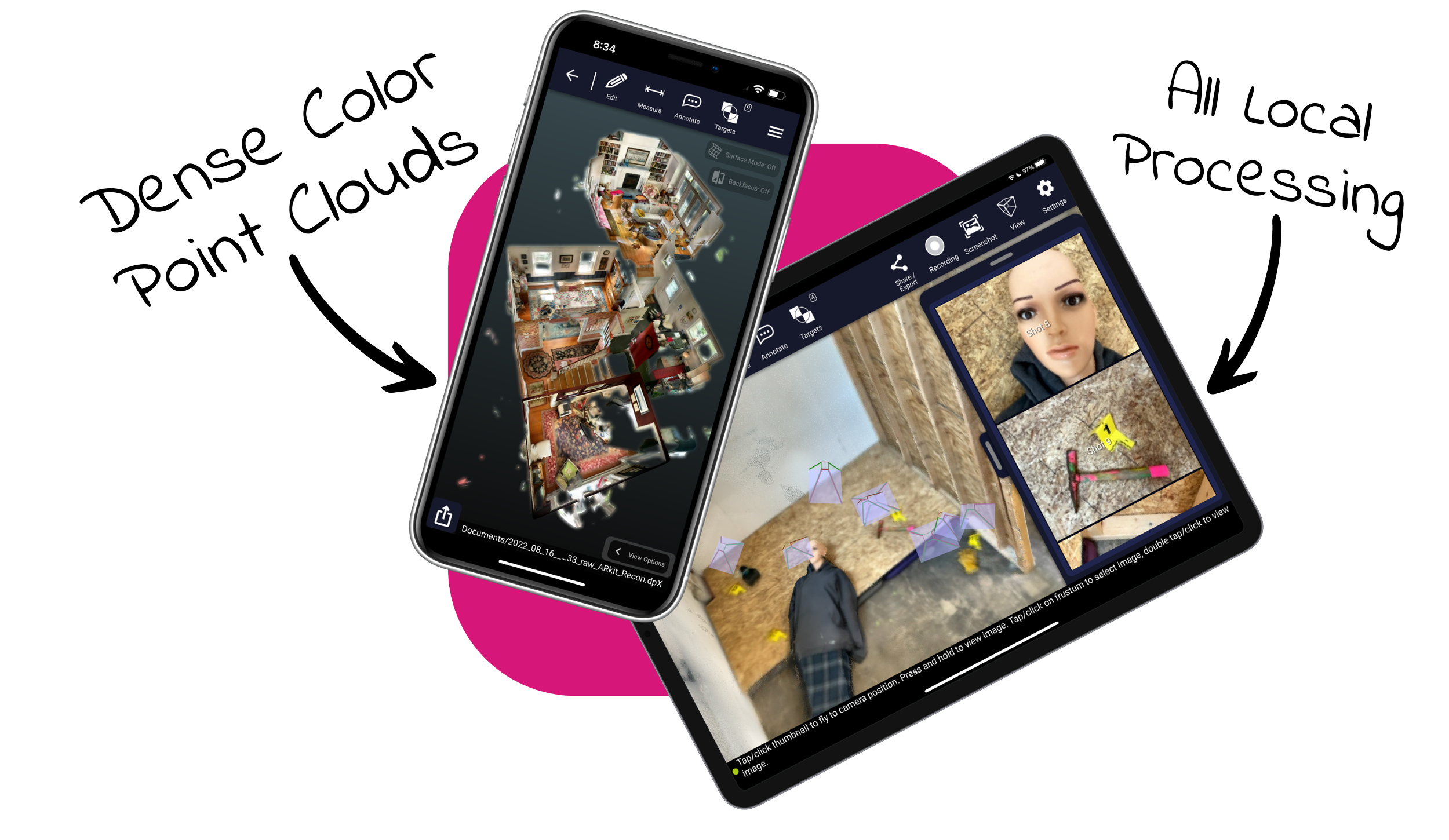
You own the data. Never sacrifice data security with rapid local processing, lossless point cloud compression, and secure file transfer methods.
Stay within Dot3D across platforms for convenient viewing, measurement, editing, and more. Then export to universally recognized point cloud formats for downstream workflows.
Exports: dp, e57, las, laz, pts, ply, ptx, ptg, rcs, pod
Access sample point cloud data from Dot3D scans
Designed and built for professionals in:

Crime and Crash Scene Mapping
Clear the scene in minutes with pocket-based 3D documentation.
Technology suitable to all sectors of law enforcement & public safety.
Reliably accurate 3D models and simplified 2D sketches (secure and accurate).

Real Estate Documentation
Turn a simple property walkthrough into an accurate 3D model.
Produce detailed 2D floor plans from rapidly acquired 3D scans.
Create digital twins of complex spaces, convert to 3D BIM models.

Surveying and Engineering
Accurately document as-builts, plot plans, infrastructure, etc.
Integrate 3D mapping into your traditional surveying workflows.
Capture hard-to-reach spaces inaccessible to other technologies.
Leverage GNSS, targets, etc. for stronger accuracy and global positioning.




-
Get started today with just an iPhone Pro (12 & up) or iPad Pro (2020 & up) with built-in LiDAR. If you prefer to start with a Windows or Android device, you’ll need an Intel RealSense or DPI external camera. The software trial is free on all platforms.
-
Pro is our most popular option for most iPhone/iPad users relying solely on their embedded LiDAR camera (iOS). Prime is a premium solution for leveraging external 3D cameras on Windows/Android or external GNSS receivers (i.e. Trimble DA2) on iOS.
-
YES! The use of coded targets (AprilTags) is one of the most important capabilities of Dot3D. Please click here to download Dot3D AprilTags for printing, and see here for several tutorials on their use. You also have the option to order a rugged set here.
-
Don’t worry! No automatic charges will occur. Once your trial ends, you’ll automatically revert back to FREE mode, still allowing scanning and testing, but with some limited functionality and NO EXPORTS. You may then upgrade to PRO or PRIME anytime.